解决方案
配置各服务访问根路径
为了在nginx中更好的进行代理区分,在后端服务中先进行配置一个根路径。
如:A服务:
server:
  port: 8081
  servlet:
    context-path: /a-system
|
如:B服务:
server:
  port: 8083
  servlet:
    context-path: /b-system
|
使用 Nginx 统一域名和端口
server {
listen 80;
server_name localhost;
location /a-system/ {
proxy_pass http://127.0.0.1:8081/a-system/;
proxy_set_header Host $host;
proxy_set_header X-Real-IP $remote_addr;
proxy_set_header X-Forwarded-For $proxy_add_x_forwarded_for;
}
location /b-system/ {
proxy_pass http://127.0.0.1:8083/b-system/;
proxy_set_header Host $host;
proxy_set_header X-Real-IP $remote_addr;
proxy_set_header X-Forwarded-For $proxy_add_x_forwarded_for;
}
}
|
确保父页面和 iframe 同源,这样 Cookie(Shiro session)可以自动发送。
A系统登录时自动登录B系统
async confirm() {
  try {
      // 登录 A 系统
      const response = await this.$axios.post('/a-system/user/login', this.loginForm);
      const res = response.data;

      if (res.code === 200) {
          // 存储用户信息
          sessionStorage.setItem('CurUser', JSON.stringify(res.data.user));

          // 💡偷偷登录 B 系统(保持 session)
          try {
              await this.$axios.post(
              '/b-system/validate',
              {
                  id: this.loginForm.no,
                  password: this.loginForm.password
              },
              { withCredentials: true } // 保留 cookie
              );
              console.log('B 系统自动登录成功');
          } catch (e) {
              console.warn('B 系统自动登录失败(不影响主系统):', e);
          }

          this.$message({
              type: 'success',
              message: '登录成功!',
              showClose: true
          });

          this.$router.replace('/Home');
          } else {
          this.$message({
              type: 'error',
              message: res.msg,
              showClose: true
          });
      }
  } catch (error) {
      console.error('登录请求失败', error);
      this.$message({
        type: 'error',
        message: '登录请求失败,请稍后再试。',
        showClose: true
      });
  }
}
|
使用 URLSearchParams 保证是 表单键值对形式。
withCredentials: true 保证 Cookie 可以被发送。
如果统一域名 + iframe 同源,这步其实可以省略,B 系统直接能获取到 Shiro session。
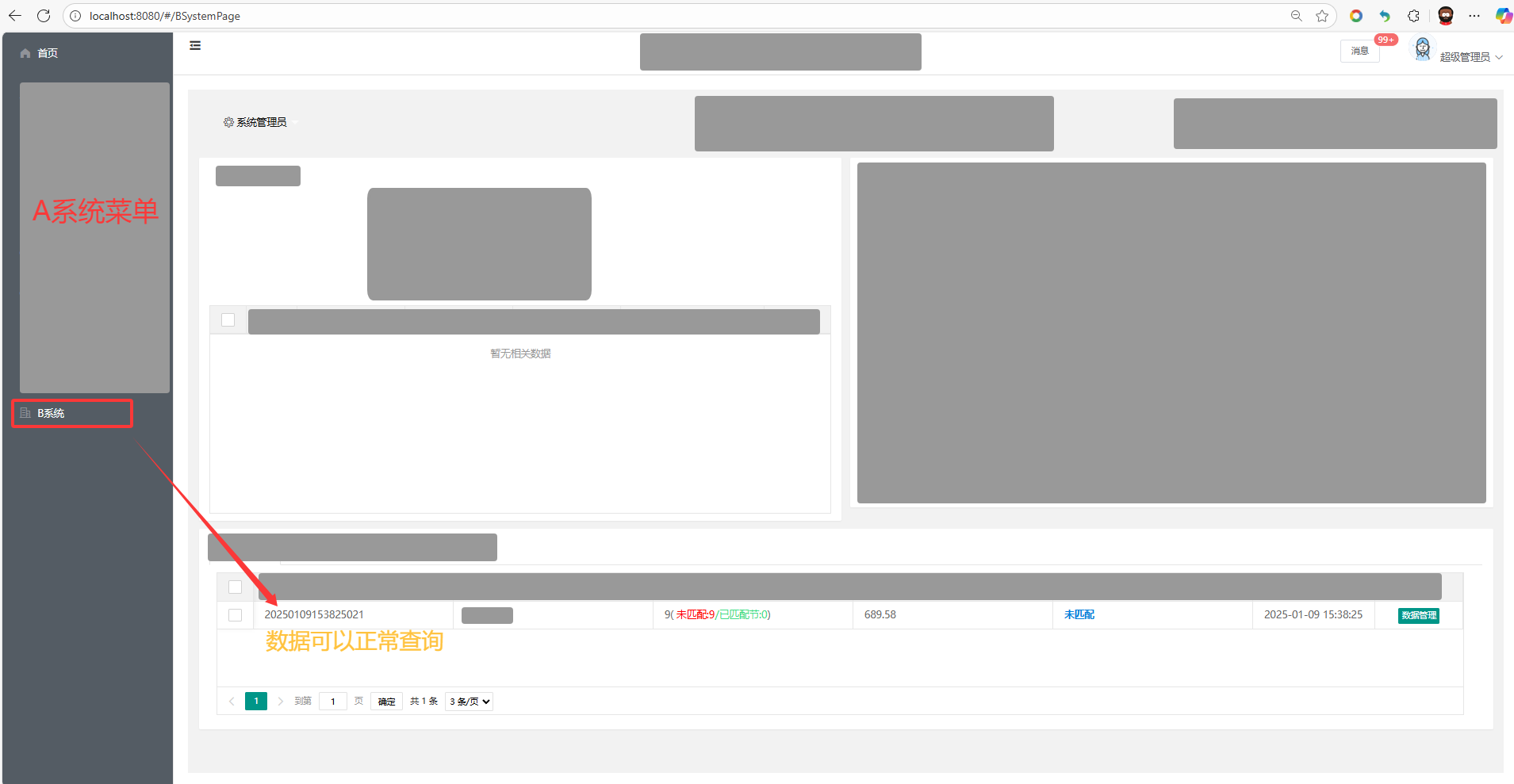
A系统Vue中嵌入B系统页面
在router.js中配置访问页面
<!-- src/views/BSystemPage.vue -->
<template>
  <div style="height: 100%; width: 100%;">
    <iframe
      :src="bSystemUrl"
      frameborder="0"
      style="width: 100%; height: 100%;"
    ></iframe>
  </div>
</template>

<script>
export default {
  name: 'BSystemPage',
  data() {
    return {
      // 注意:这里路径是通过 nginx 反向代理访问的
      bSystemUrl: 'http://localhost/b-system/xxx' // 你要加载的 B 系统首页
    };
  }
};
</script>

<style scoped>
/* 可选:让 iframe 全屏铺满父容器 */
html, body, #app, .el-main, div {
  height: 100%;
  margin: 0;
}
</style>
|
注意:如果配置的是 bSystemUrl: 'http://localhost/b-system/xxx', 这里是 localhost,那么对应的nginx和后端的Cors配置都为localhost。
B系统后端Cors配置:
@Configuration
public class CorsConfig {
@Bean
public FilterRegistrationBean<CorsFilter> corsFilter() {
UrlBasedCorsConfigurationSource source = new UrlBasedCorsConfigurationSource();
CorsConfiguration config = new CorsConfiguration();
config.addAllowedOrigin("http://localhost:8080");
config.setAllowCredentials(true);
config.addAllowedHeader("*");
config.addAllowedMethod("*");
config.setMaxAge(3600L);
source.registerCorsConfiguration("/**", config);
FilterRegistrationBean<CorsFilter> bean = new FilterRegistrationBean<>(new CorsFilter(source));
bean.setOrder(Ordered.HIGHEST_PRECEDENCE);
return bean;
}
}
|
注意:JSP中请不要用相对路径,请统一使用 ${pageContext.request.contextPath}
如 ${pageContext.request.contextPath}/admin/layui/layui.js/admin/layui/layui.js
JSP中所有的接口请求与静态js、css都这么引入
 答案
答案